Help and Support
How to Play
Swipeloot is a fast-paced multiplayer game. Treasure and traps appear on screen — swipe across treasures to collect them and score points. Every treasure you grab refills your life bar. Avoid the traps — tapping a trap drains your life.
Swipe across multiple treasures in one motion for combo multipliers. The faster you react, the better your score. If another player grabs a treasure before you, it's gone.
Life Bar
Your life bar drains continuously throughout each round. Grabbing any treasure refills your life bar. If your life bar hits zero, you're knocked out for the rest of that round.
In the first round, grabbing a treasure refills your life bar completely. As rounds progress, the maximum refill from grabbing a treasure gradually decreases — a white marker on the life bar shows the current refill limit. This means you'll need to grab treasures more frequently in later rounds to stay alive.
The drain rate also increases in later rounds, so you need to keep grabbing treasures to survive. In early rounds you can afford to be selective; in later rounds, grab everything you can.
Rounds
Each round lasts 60 seconds. Rounds get progressively harder — items move faster, traps appear more often, and your life drains quicker. The game continues until all players are knocked out in the same round.
Between rounds, a scoreboard shows everyone's scores. Tap "Ready" when you're prepared for the next round.
Treasures and Traps
Each treasure type is paired with a trap that appears alongside it. New pairs are introduced as rounds progress. Treasures are listed from least to most valuable.
| Treasure | Trap |
|---|---|
 Coin Coin |
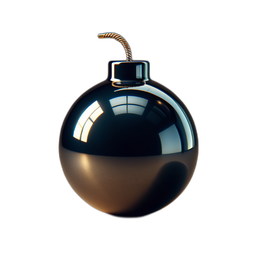 Bomb Bomb |
 Pearl Pearl |
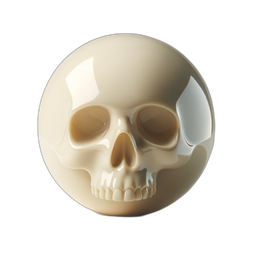 Skull Skull |
 Topaz Topaz |
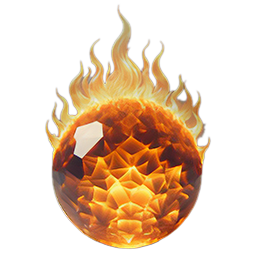 Fireball Fireball |
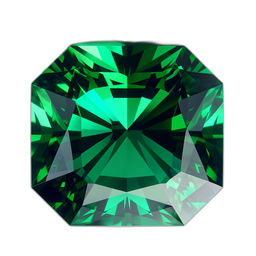 Emerald Emerald |
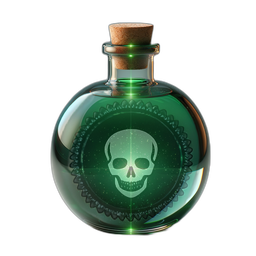 Poison Poison |
 Ruby Ruby |
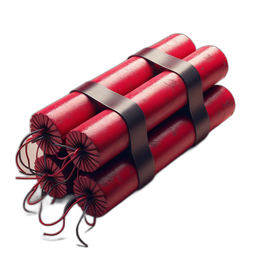 Dynamite Dynamite |
 Sapphire Sapphire |
 Ice Bomb Ice Bomb |
 Amethyst Amethyst |
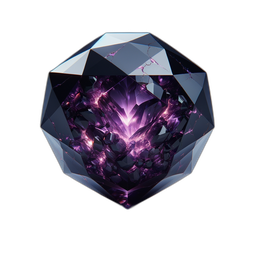 Cursed Gem Cursed Gem |
 Star Star |
 Shuriken Shuriken |
 Crown Crown |
Dark MirrorMimics the nearest treasure — looks like the closest treasure to it |
 Diamond Diamond |
 Black HolePulls nearby items toward it with gravity Black HolePulls nearby items toward it with gravity |
 Opal Opal |
 Cursed Moonstone Cursed Moonstone |
 Gold Bar Gold Bar |
 Pyrite Pyrite |
 Phoenix Feather Phoenix Feather |
 Viper Fang Viper Fang |
 Crystal Orb Crystal Orb |
 Witch's Eye Witch's Eye |
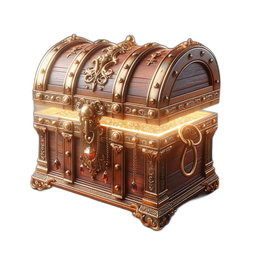 Treasure Chest Treasure Chest |
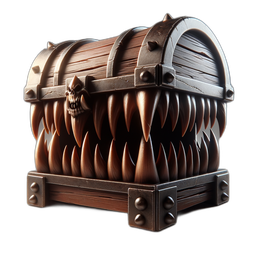 MimicLooks nearly identical to a Treasure Chest MimicLooks nearly identical to a Treasure Chest |
 Philosopher's Stone Philosopher's Stone |
 Void Stone Void Stone |
Special Items
Special items appear as the rounds progress. Each one is a trade-off — learn when to use them.


Energy Orbs
Energy orbs are your second chance. If you're knocked out during a round, you can spend one orb to rejoin the next round with a full life bar.
New players start with 15 free orbs, and you can claim more free orbs every hour from the main menu. You also collect orbs during play — grab the glowing orbs whenever you see one, before your opponents do.
New here? You'll see more orbs. To help you find your feet, energy orbs appear more often during your first games. This new-player boost fades gradually over your first 20 rounds, so make the most of it early on.
If you ever run dry, you can top up with an orb pack from the in-game shop — including an emergency 10-orb pack offered the moment you're knocked out with an empty balance.
Scoring
Each treasure type has a different base value, from common coins to rare items worth much more. Scores scale up in later rounds — the same treasure is worth more in round 10 than in round 1. Swipe combos multiply your score for each consecutive treasure in a single swipe.
Game Modes
Play Alone
Just you — no other players. Choose easy, medium, or hard difficulty and see how many rounds you can survive. Great for learning the items and practising your swiping.
Play with Strangers
Match with players from around the world. Choose how many players you want (2-8) and your preferred difficulty, then tap "Find Game". The game waits briefly for other players to join — if not enough humans are available, bots fill the remaining slots so you never have to wait long.
Play with Friends
Play with people you know in a private room. Here's how:
- One person creates the room — tap "Play with Friends" on the main menu, then tap "Create Room". You'll see a 4-letter room code on screen.
- Share the code — tell your friends the 4-letter code (by message, in person, or use the share button).
- Friends join — they tap "Play with Friends", then "Join Room", and enter the code.
- Everyone readies up — once all players have joined, each player taps "Ready". The game starts when everyone is ready.
You need at least 2 players. The room creator chooses the difficulty level. If someone disconnects during a game, the game pauses and waits up to 30 seconds for them to reconnect.
Requesting an Orb (Friend Games)
In friend games, if you're knocked out and have no energy orbs, you can ask another player to sell you one in exchange for 15% of your score. If no one accepts, the game goes on without you.
Connection Issues
If your connection drops during a multiplayer game, the game pauses for all players and waits up to 30 seconds for you to reconnect. If you reconnect in time, the game resumes exactly where it left off. If not, the game continues without you. In solo mode, your game is preserved for up to 15 minutes.
Achievements
Earn achievements by collecting treasures, reaching score milestones, completing clean rounds (no traps hit), winning multiplayer games, and more. Each achievement has multiple tiers. Tap the medal icon on the main menu to see your progress.
Leaderboard
Your best scores for each game mode are saved to the global leaderboard. Tap the trophy icon on the main menu to see where you rank.
Settings
Tap the gear icon on the main menu to adjust music and sound effect volume, toggle the star field background, show touch indicators, and manage your player profile.
Reset Game Data
You can reset all your game data from Settings. This permanently deletes your player name, country, leaderboard scores, personal bests, and achievements. Energy orbs and audio settings are kept. This cannot be undone.
Troubleshooting
- Can't connect — Swipeloot requires an internet connection for all game modes. Check your connection and try again.
- No players found — in stranger games, the remaining slots are filled with bots after a short wait.
- Audio not playing — check your device volume and the in-game audio settings (gear icon on main menu).
Frequently Asked Questions
Is Swipeloot free?
Yes. Swipeloot is free to play on iPhone and Android, with no forced ads — the only advert you will see is a short video you can choose to watch for extra orbs. The only in-app purchase is optional energy orbs, which work as extra lives; nothing else is paid and there is no subscription.
What is Swipeloot?
Swipeloot is a fast multiplayer treasure-hunting game. Treasures and traps float across the screen in 60-second rounds; you swipe the treasures to score and dodge the traps to survive, alone or against up to 8 players.
Can I play Swipeloot with friends?
Yes. Start a private game and share its 4-letter room code — friends who enter the code join your game. You can also play solo, or use matchmaking to play against strangers.
Do I need an account to play?
No account or sign-up is needed. Pick a name and play.
How many people can play Swipeloot together?
Up to 8 players in one game, each on their own phone. Everyone in the same room can play together by entering the same 4-letter room code, and friends elsewhere can join with the same code over the internet.
Does Swipeloot work offline?
No. Every mode, including solo, is played on a live server, so each phone needs an internet connection — Wi-Fi or mobile data. There is no Bluetooth or local-network mode.
Is Swipeloot suitable for children?
Yes. Swipeloot is made for mixed ages — the same round works for an eight-year-old and a grandparent. There is no account, and no personal information is needed beyond the name you choose to show.
What are energy orbs?
Energy orbs are extra lives: if your life bar empties mid-round, an orb lets you carry on. You earn them in play, and in friend games a teammate can donate one to revive you.
Contact Us
If you need further help or want to report a bug, please contact us: